Project Case Study
OverlayForge
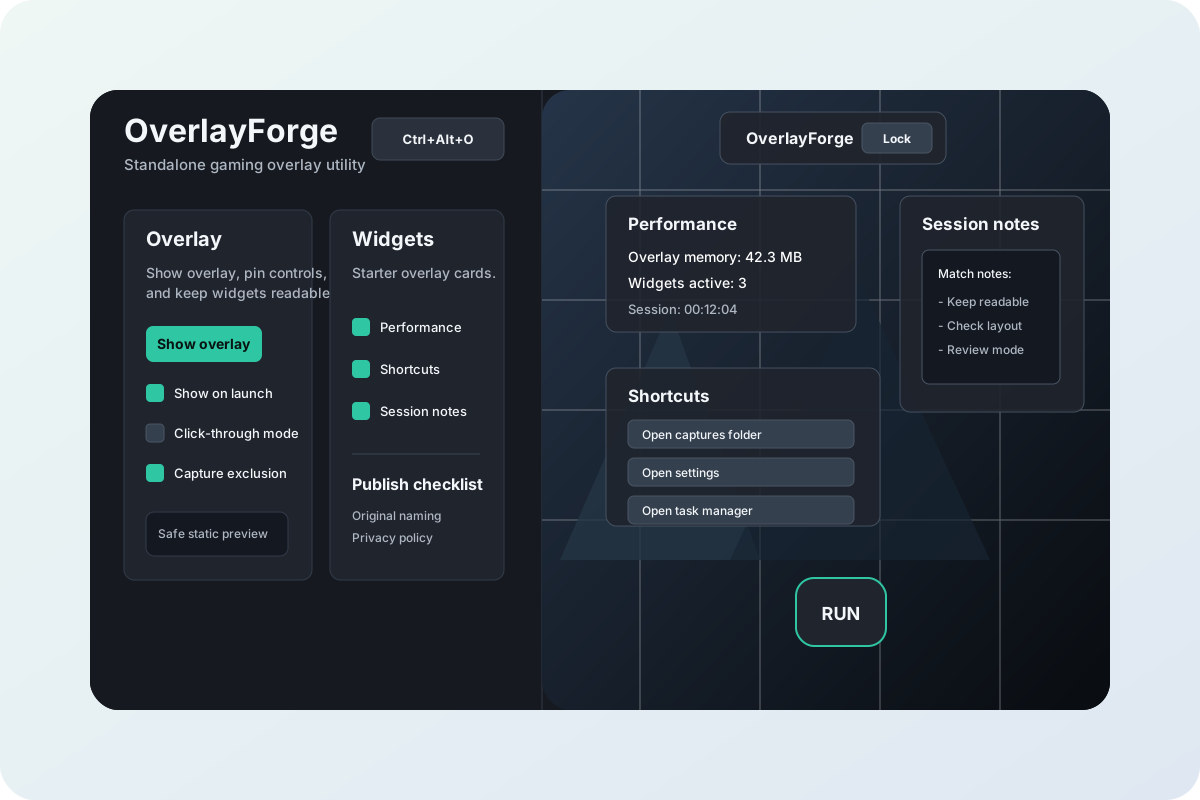
A Windows-first gaming overlay utility concept rebuilt as a safe browser preview with overlay controls, widget toggles, click-through state, session notes, shortcuts, and a simulated performance widget.
Problem
Overlay utilities need to communicate fast access, clear widget placement, and safety boundaries, while a public portfolio version must avoid native hotkeys, window flags, capture behavior, system shortcuts, and persistent local settings.
Outcome
Built a static preview that shows the core product workflow: overlay visibility, widget enablement, click-through state, reset layout, performance readout, shortcuts, session notes, and a game-like preview surface.
My Role and Approach
- Translated the WPF control panel and overlay window into a self-contained browser demo.
- Kept the recognizable dark desktop utility interface and translucent overlay widgets.
- Replaced native hotkeys, system launches, capture behavior, and saved settings with fixed safe sample states.
Tech Stack
Next Step
Review the safe overlay preview or discuss a build.
The public demo is intentionally static, safe, and limited for portfolio review. Private desktop builds, native overlay behavior, hotkey registration, capture options, and system shortcut actions are not linked from this site.