Project Case Study
WebBrowser
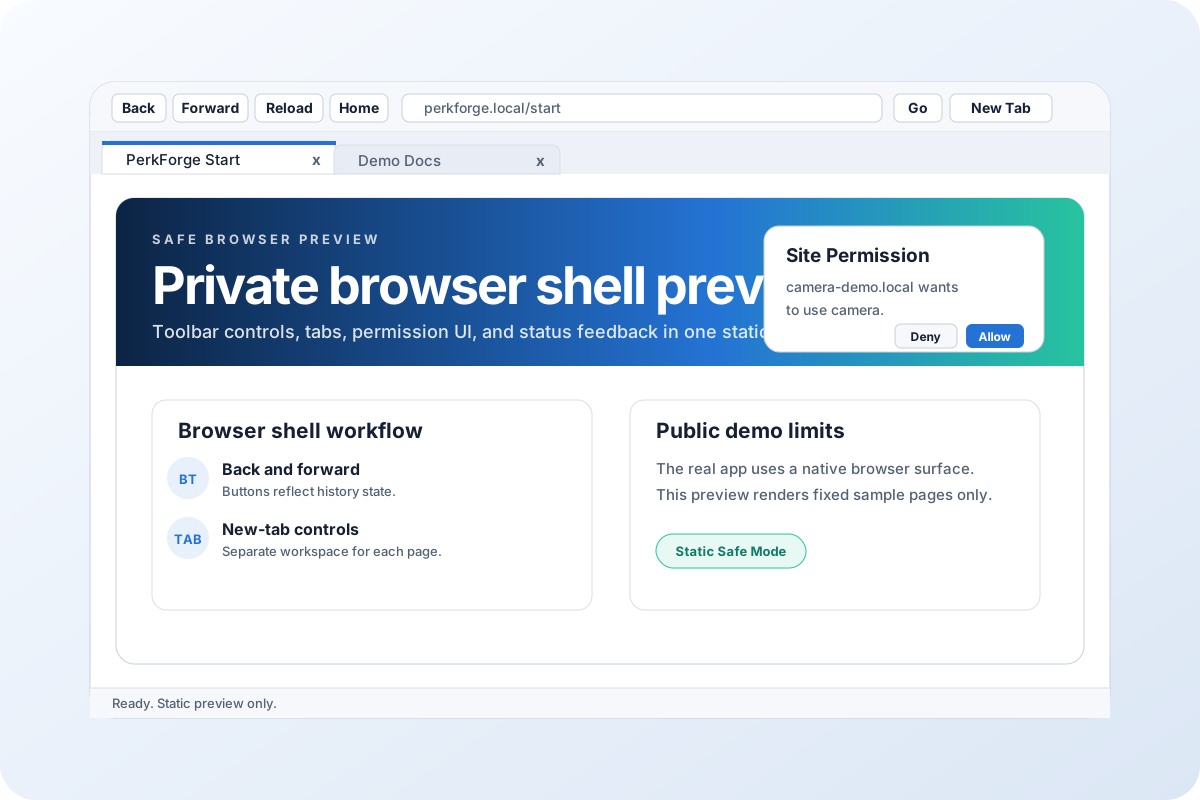
A Windows-first browser shell concept rebuilt as a safe browser preview with toolbar navigation, an address/search field, tab handling, permission prompts, and status feedback.
Problem
A browser shell has many privacy-sensitive behaviors, including live navigation, profile data, pop-ups, permission state, and downloads. A public portfolio version needs to communicate the product clearly without exposing or activating those systems.
Outcome
Built a static preview that shows the visible browser workflow: back, forward, reload, home, address/search input, tab creation, tab closing, permission dialog UI, simulated page content, and status updates.
My Role and Approach
- Translated the WPF browser shell into a self-contained browser demo.
- Kept the recognizable native toolbar, tabs, viewport, and status bar.
- Replaced live navigation, profile data, and device permission requests with fixed safe sample states.
Tech Stack
Next Step
Review the safe browser preview or discuss a build.
The public demo is intentionally static, safe, and limited for portfolio review. Private browser builds, live navigation, profile data, device permission state, and platform-specific behavior are not linked from this site.